Beautiful.ai vs Prezi: Which Presentation Tool Should You Choose?
Beautiful.ai and Prezi are two of the biggest names in the presentation software space, but they cater to very different needs.
I spent time testing both platforms to understand how they compare in real-world use — and which one makes sense depending on your workflow.
If you want polished presentations that are easy to build and always on-brand, Beautiful.ai is the clear winner.
But if you care more about live engagement and storytelling, Prezi offers a more dynamic format that traditional slide builders can’t match.
In this review, I’ll break down both tools side by side, looking at design, features, pricing, collaboration, and more, to help you decide which presentation software is best for your needs.
Beautiful.ai vs Prezi: Quick Verdict
Beautiful.ai – Best for fast, on-brand slide decks with smart automation
Prezi – Best for interactive storytelling and visual presentation delivery
If you need to produce decks quickly and consistently, especially across teams, Beautiful.ai’s Smart Slides and AI-driven layout system give it the edge. If your priority is standing out in a live presentation or using a more engaging canvas format, Prezi is the better fit.
Quick Comparison: Beautiful.ai vs Prezi
Here’s a side-by-side look at how both tools compare across key categories:
| Feature | Beautiful.ai | Prezi |
|---|---|---|
| Core Format | Slide-based with automated layout and design controls | Zoomable canvas with custom paths for storytelling |
| Best for | Teams creating branded decks at scale | Presenters needing visual storytelling tools |
| AI Features | Outline generator, Smart Slide layouts, branded templates | Presentation video overlay, canvas zoom paths |
| PowerPoint Integration | Import/export and PowerPoint add-in | Import only |
| Offline Access | Desktop player for offline playback | Full desktop app with offline support and portable files |
| Analytics | Viewer and slide-level insights (Pro and Team) | Engagement and performance analytics (Premium and Teams) |
| Pricing Range | $12 to $50 per user per month | $19 to $39 per user per month |
| Ideal User | Agencies, marketers, corporate teams | Educators, trainers, product marketers, public speakers |
Design and Layout: Structure vs Freedom
This is where the core difference between the two platforms becomes obvious. One is built around design guardrails. The other gives you a visual playground.
Beautiful.ai: Clean and Consistent by Default

From the moment I opened Beautiful.ai, the tool pushed me into a clean layout. That’s not a bad thing. If you’re building a deck that needs to match brand guidelines and stay aligned across dozens of slides, Smart Slides are incredibly useful.
The platform automatically:
- Aligns elements and resizes content to fit
- Adjusts spacing and formatting as you type
- Locks templates to brand fonts, colors, and logos
- Prevents misaligned or inconsistent slides
Beautiful.ai doesn’t allow free placement of every element. But that’s the point. It’s built for speed and uniformity, not for custom animations or wild design freedom.
It’s the right tool for anyone who wants to finish a deck in under an hour without hiring a designer.
Prezi: Flexible and Visual
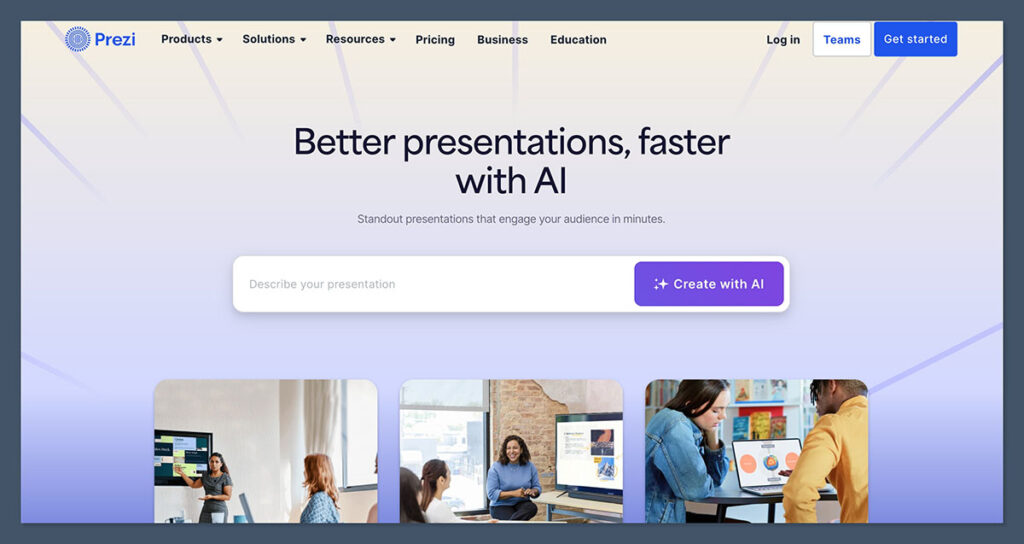
Prezi takes a completely different approach. You start on a blank canvas, not with slides. Instead of building linearly, you add content across different parts of the screen and define a path that zooms between them.
This format works best when:
- You want to show the big picture first, then zoom into details
- Relationships between ideas matter more than bullet points
- You’re giving a live talk and want to hold attention visually
You can group topics together, control how the presentation moves between them, and customize transitions.
The tradeoff is that it requires more setup time and more visual planning upfront. If you’re used to standard slides, it can take time to adjust.
Features and Workflow Comparison
Both tools offer modern presentation features, but they prioritize different goals. Here’s how they compare in key areas:
AI and Automation
Beautiful.ai:
- AI outline generation to plan your deck
- Smart Slides that adapt to content
- Brand control features for consistent design
Prezi:
- Prezi Video lets you overlay slides with your webcam
- Zoom paths and transitions between grouped topics
- Presenter view with notes, timers, and controls
Beautiful.ai’s AI is focused on making decks fast. Prezi’s focus is on making them dynamic and interactive.
Team and Brand Management
Beautiful.ai:
- Shared libraries for templates, logos, and assets
- Lockable slide templates
- Collaboration and version control
Prezi:
- Team spaces for shared presentations
- Admin tools for user access and roles
- Custom branding on enterprise plans
Beautiful.ai is better suited for organizations that want strict control over how decks are built. Prezi is more collaborative and creative.
Pricing: How Much Does Each Tool Cost?
Both platforms are priced for professionals and teams, but the structure varies slightly.
Beautiful.ai Pricing
| Plan | Price (billed annually) | Best for |
|---|---|---|
| Pro | $12/month | Individual users, freelancers |
| Team | $40/user/month | Small teams, brand control |
| Enterprise | Custom pricing | Larger teams, advanced security |
Team plans include brand controls, analytics, and shared asset libraries. You can also pay monthly at $50/user for more flexibility.
Prezi Pricing
| Plan | Price (billed annually) | Best for |
|---|---|---|
| Plus | $19/month | Individual presenters |
| Premium | $29/month | Professionals needing analytics |
| Teams | $39/user/month | Collaborative teams |
Prezi offers a more presentation-focused toolset, especially for educators and speakers. There are also discounted education plans available.
Verdict on Pricing
Both tools are competitively priced, with Beautiful.ai being slightly more affordable on the entry-level side. Prezi justifies its price with deeper presenting features and interactivity.
PowerPoint Compatibility
If you’re working with teams or clients that still live in PowerPoint, integration matters.
Beautiful.ai
- Import existing PowerPoint decks
- Export as editable .pptx files
- Native PowerPoint add-in lets you build Beautiful.ai slides inside PowerPoint
This is ideal if you need to meet PowerPoint requirements or work with people who expect .pptx files.
Prezi
- Import PowerPoint slides into Prezi
- Convert linear slides into zoomable paths
- No editable PowerPoint export
Prezi is great for turning a PowerPoint into something more engaging, but you can’t go back the other way. Once it’s in Prezi, it stays there.
Presenting and Offline Access
How each tool handles offline access and live presenting is also worth highlighting.
Beautiful.ai
- Present in browser or via desktop player
- Offline access requires download
- No presenter view or video overlay tools
Beautiful.ai is designed more for slide distribution or online sharing than live presenting.
Prezi
- Full desktop app with offline mode
- Presenter view with notes and controls
- Prezi Video lets you record or present with content layered over your webcam
If your job involves live presenting or training sessions, Prezi has a clear advantage here.
Analytics and Reporting
Both platforms offer presentation analytics, but again, the focus is slightly different.
Beautiful.ai
Available on Pro and Team plans:
- See who viewed your deck
- Track which slides were viewed and how long
- Identify drop-off points in shared decks
This is useful for sales teams, marketing follow-ups, and internal reporting.
Prezi
Available on Premium and Team plans:
- See how often a presentation is viewed
- Track viewer engagement during playback
- Ideal for educational content, onboarding, or training metrics
Prezi’s analytics focus more on live performance and post-presentation feedback.
Use Cases: Which Tool Fits What You Do?
Here’s how I’d recommend each platform depending on your needs:
Use Beautiful.ai if you:
- Build multiple decks per week and need speed
- Work on a team that cares about brand alignment
- Regularly send or share decks, not just present live
- Prefer to avoid design tasks and let the tool handle layout
- Need PowerPoint integration and editable exports
Use Prezi if you:
- Present live (in person or on video) and want a more dynamic format
- Want to visually walk through complex relationships or hierarchies
- Teach, train, or coach and need high engagement
- Prefer to design from scratch and control the viewer experience
- Want to stand out from typical slide-based presentations
Final Thoughts
After testing both tools extensively, here’s my bottom-line take:
Beautiful.ai is the better option for teams, marketers, and businesses that value efficiency and consistency.
Its Smart Slides and AI workflow make building decks fast and scalable, especially for brands that want everything to look professional with minimal effort.
Prezi is the better choice for presenters and educators who want to engage an audience with something different. Its zoomable canvas and video tools are excellent for storytelling, visual explanations, and live delivery.
There’s no single winner here, because they serve different goals. If you build decks for sharing and documentation, use Beautiful.ai. If you present live and want to keep your audience’s attention, use Prezi.
Both offer free trials, so I recommend giving each one a test run before committing.